


🚀 Rilasciato Gato GraphQL v1.2 (con nuove Persisted Queries)

La versione 1.2 di Gato GraphQL è stata rilasciata! 🎉
Ecco una descrizione di tutte le modifiche.
Aggiunte diverse Persisted Queries predefinite
Le seguenti Persisted Queries, per eseguire attività di amministrazione comuni, sono ora disponibili:
Tradurre contenuti da un URL
Dato un URL in input, la sua lingua e in quale lingua tradurlo, questa query recupera il contenuto dall'URL ed esegue la traduzione utilizzando Google Translate:
query TranslateContent(
$url: URL!
$fromLang: String!
$toLang: String!
) {
_sendHTTPRequest(input: {
url: $url,
method: GET
}) {
body
translated: body @strTranslate(
from: $fromLang
to: $toLang
)
}
}Ad esempio, passando l'URL di un file Markdown in un repository GitHub, e il codice di lingua "es":
{
"url": "https://raw.githubusercontent.com/GatoGraphQL/GatoGraphQL/c870d8906ae1aec3c81acc039c53acc7aab5dff0/layers/GatoGraphQLForWP/plugins/gatographql/docs/modules/single-endpoint/en.md",
"fromLang": "en",
"toLang": "es"
}...tradurrà il contenuto Markdown in spagnolo:
{
"data": {
"_sendHTTPRequest": {
"body": "# Single Endpoint\n\nExecute queries against the GraphQL server through the public single endpoint.\n\nBy default the endpoint is `/graphql/`, and the path can be configured through the Settings.\n\n\n\nThe GraphQL single endpoint can be configured by assigning a Schema Configuration to it. To do this, on section \"Schema Configuration\" select the desired entry from the dropdown for \"Schema Configuration for the Single Endpoint\":\n\n<div class=\"img-width-1024\" markdown="1">\n\n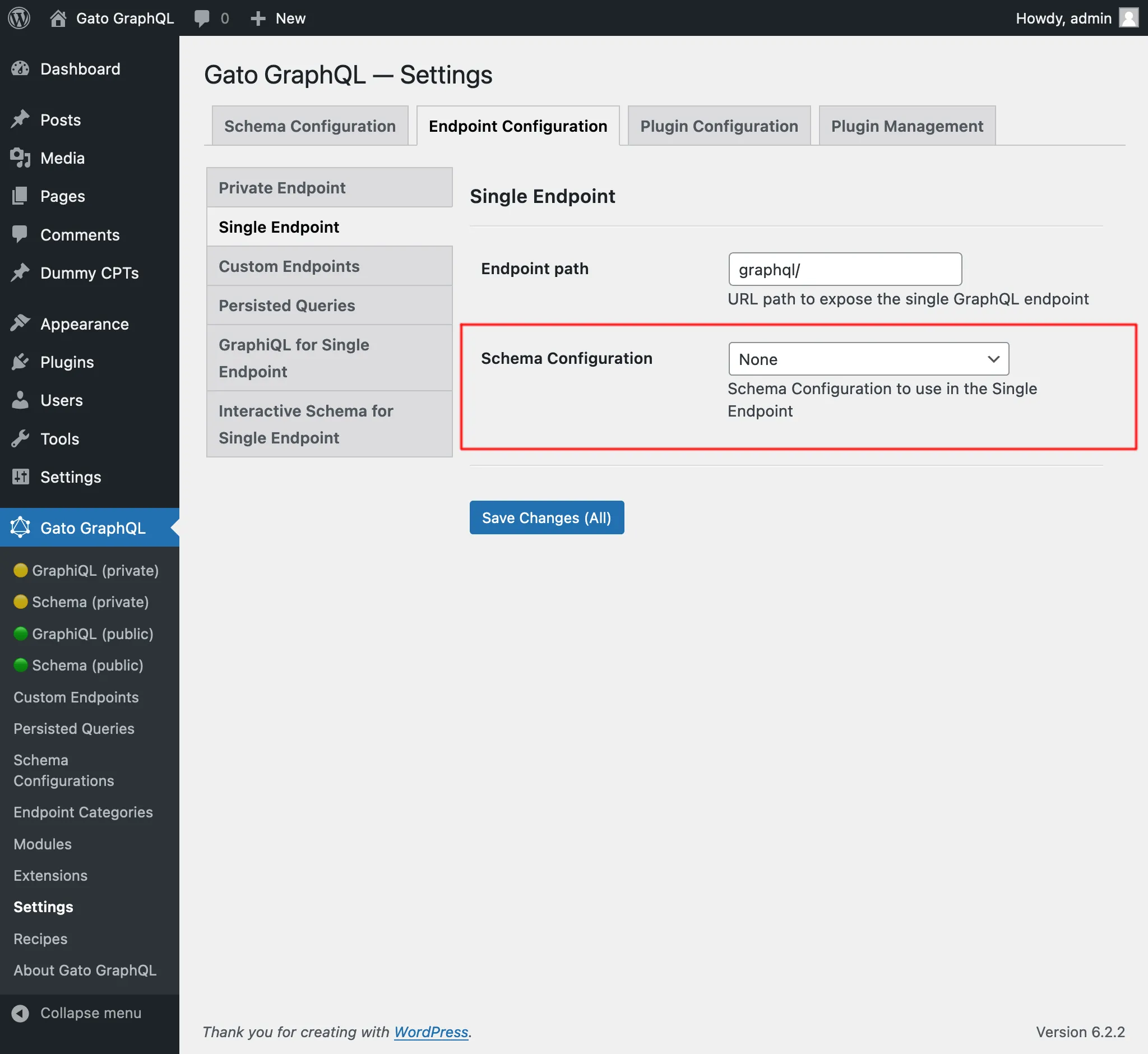\n\n</div>\n\n## Clients\n\nInteract with the single endpoint via the available clients.\n\n### GraphiQL\n\nIf module \"GraphiQL for Single Endpoint\" is enabled, then the single endpoint's GraphiQL client becomes publicly available.\n\nTo open it, click on link \"🟢 GraphiQL (public)\" on the plugin's menu:\n\n<div class=\"img-width-1024\" markdown="1">\n\n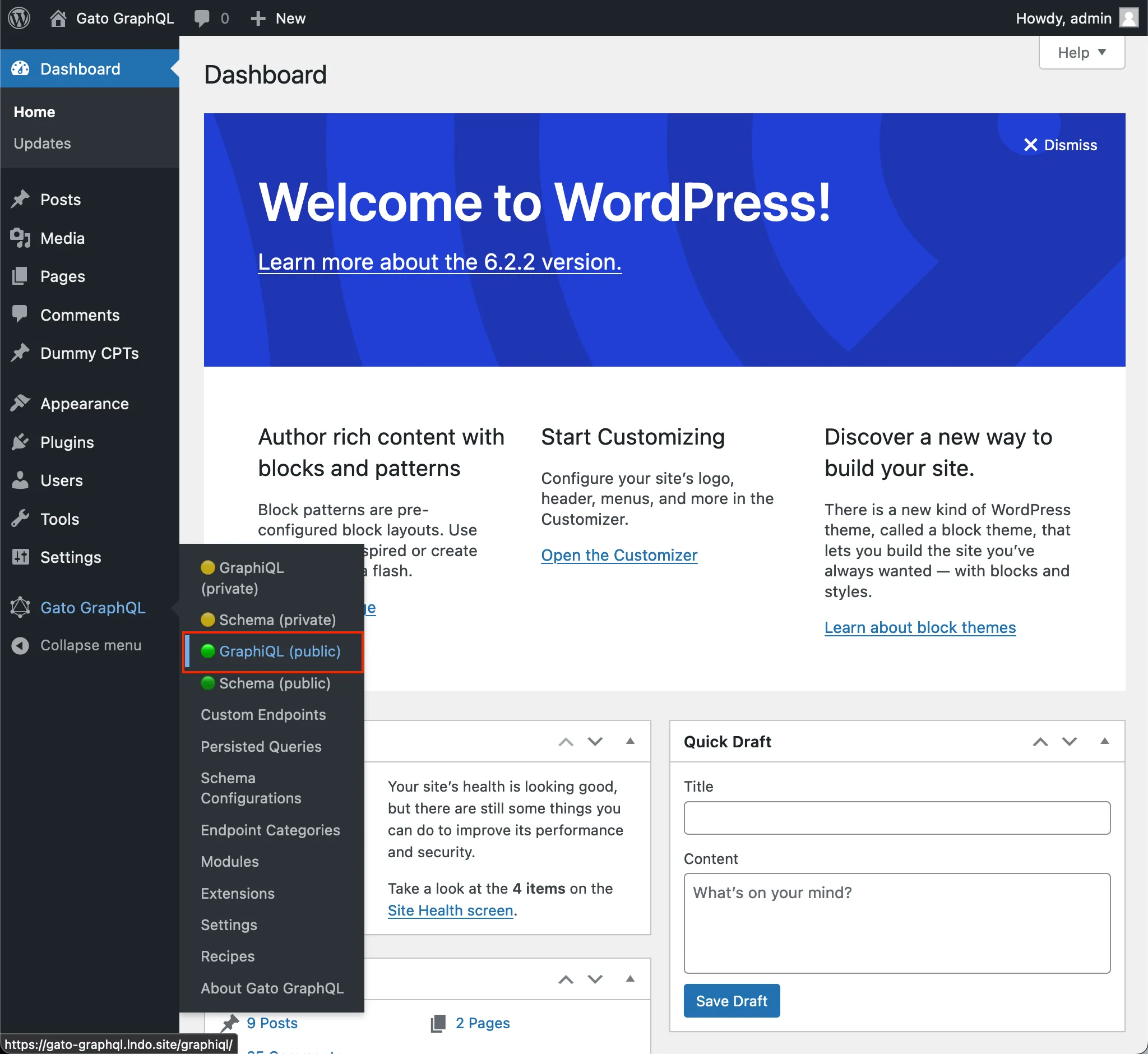\n\n</div>\n\nBy default, the client is exposed under `/graphiql/`. This path can be modified on the Settings, under tab \"GraphiQL for Single Endpoint\":\n\n<div class=\"img-width-1024\" markdown="1">\n\n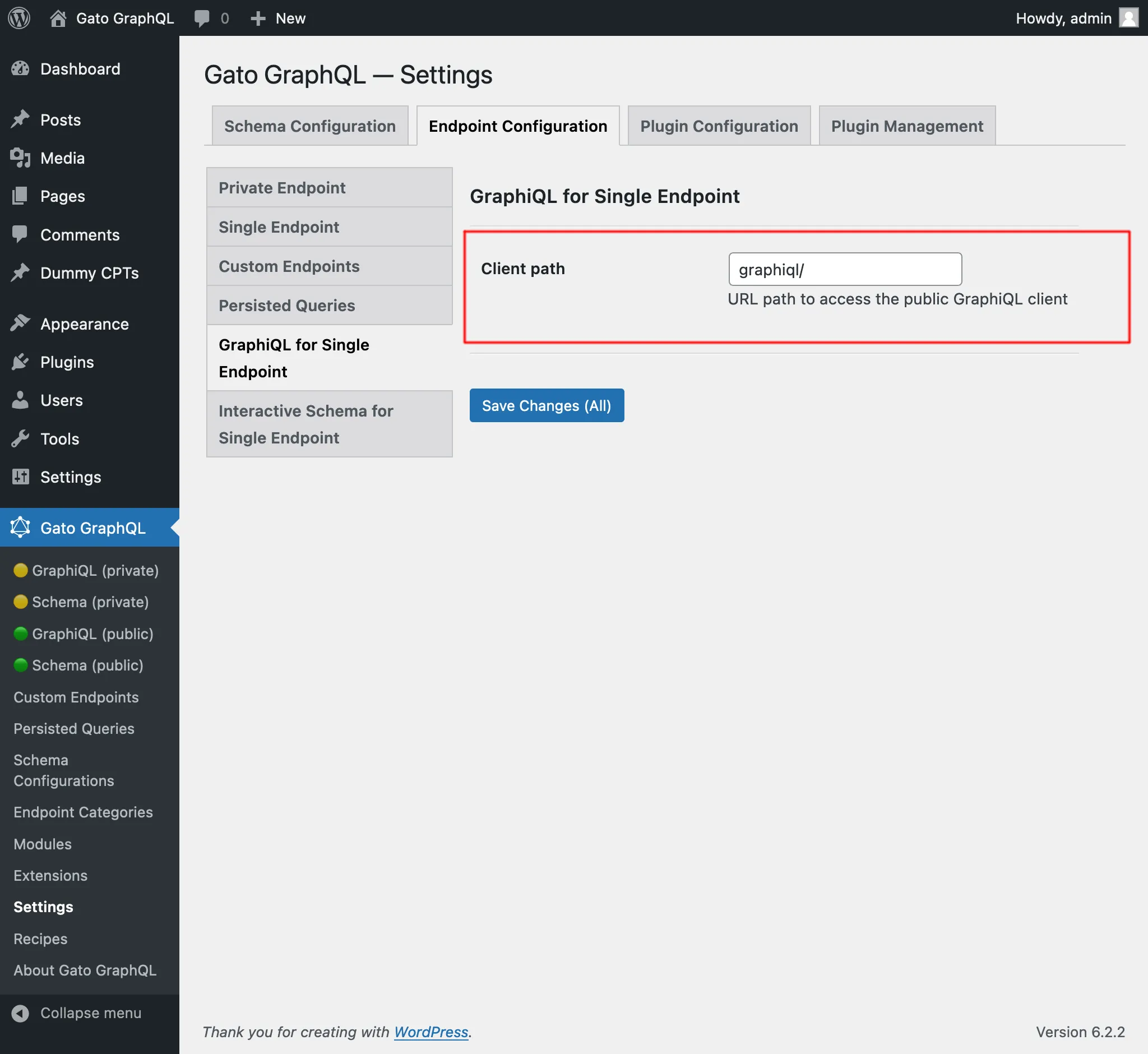\n\n</div>\n\n### Interactive Schema (Voyager)\n\nIf module \"Interactive Schema for Single Endpoint\" is enabled, then the single endpoint's Voyager client becomes publicly available.\n\nTo open it, click on link \"🟢 Schema (public)\" on the plugin's menu:\n\n<div class=\"img-width-1024\" markdown="1">\n\n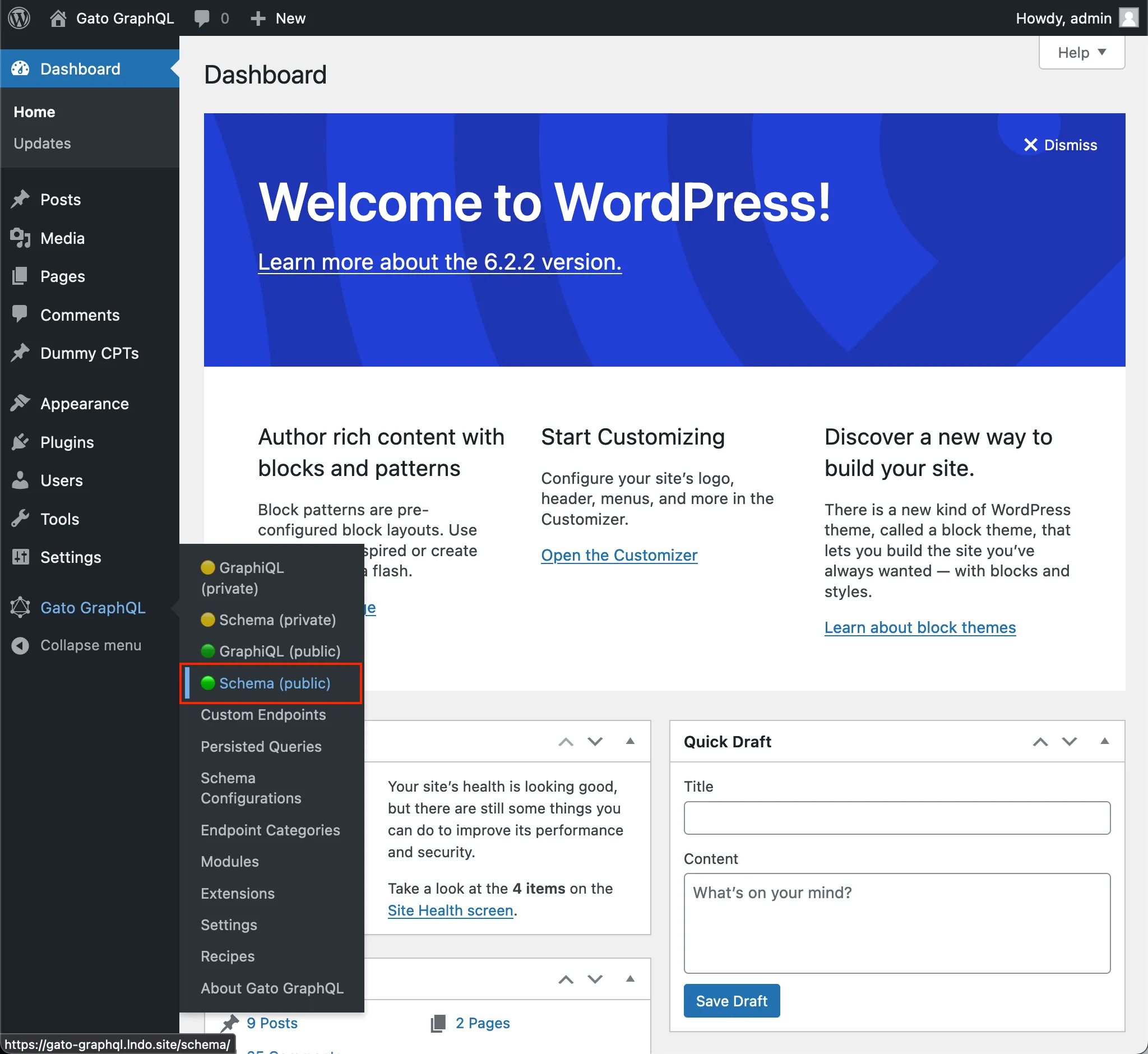\n\n</div>\n\nBy default, the client is exposed under `/schema/`. This path can be modified on the Settings, under tab \"Interactive Schema for Single Endpoint\":\n\n<div class=\"img-width-1024\" markdown="1">\n\n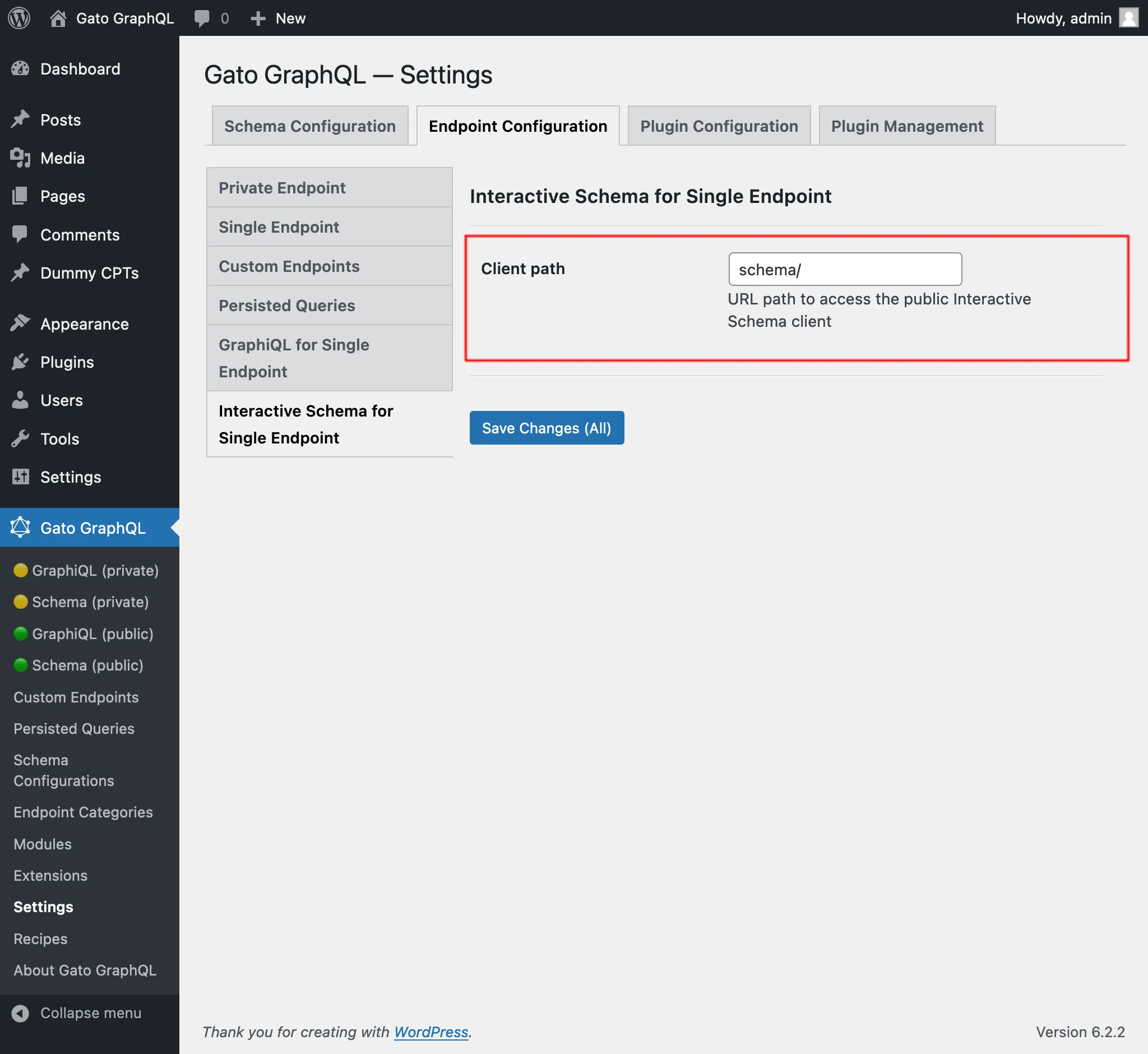\n\n</div>\n",
"translated": "# Punto final único\n\nEjecute consultas en el servidor GraphQL a través del punto final único público.\n\nDe forma predeterminada, el punto final es `/graphql/` y la ruta se puede configurar a través de Configuración.\n\n\n\nEl punto final único GraphQL se puede configurar asignándole una configuración de esquema. Para hacer esto, en la sección \"Configuración del esquema\", seleccione la entrada deseada del menú desplegable para \"Configuración del esquema para el punto final único\":\n\n<div class=\"img-width-1024\" descuento=1>\n\n\n\n</div>\n\n## Clientes\n\nInteractúe con el punto final único a través de los clientes disponibles.\n\n### GrafiQL\n\nSi el módulo \"GraphiQL para punto final único\" está habilitado, el cliente GraphiQL del punto final único estará disponible públicamente.\n\nPara abrirlo, haga clic en el enlace \"🟢 GraphiQL (público)\" en el menú del complemento:\n\n<div class=\"img-width-1024\" descuento=1>\n\n\n\n</div>\n\nDe forma predeterminada, el cliente está expuesto en `/graphiql/`. Esta ruta se puede modificar en Configuración, en la pestaña \"GraphiQL para punto final único\":\n\n<div class=\"img-width-1024\" descuento=1>\n\n\n\n</div>\n\n### Esquema interactivo (Voyager)\n\nSi el módulo \"Esquema interactivo para punto final único\" está habilitado, el cliente Voyager del punto final único estará disponible públicamente.\n\nPara abrirlo, haga clic en el enlace \"🟢 Esquema (público)\" en el menú del complemento:\n\n<div class=\"img-width-1024\" descuento=1>\n\n\n\n</div>\n\nDe forma predeterminada, el cliente está expuesto en `/schema/`. Esta ruta se puede modificar en Configuración, en la pestaña \"Esquema interactivo para punto final único\":\n\n<div class=\"img-width-1024\" descuento=1>\n\n\n\n</div>\n"
}
}
}È stata aggiunta anche alla sezione Ricette, sotto "Translating content from URL".
Tradurre un post (editor classico), e Tradurre dei post (editor classico)
Esistevano già le persisted queries "Translate post" e "Translate posts" (in blocco), che si occupano di tradurre tutte le proprietà all'interno dei blocchi Gutenberg del post.
Queste sono state debitamente rinominate "Translate post (Gutenberg)" e "Translate posts (Gutenberg)", e sono state aggiunte nuove persisted queries per tradurre contenuti per l'editor classico:
- Translate post (Classic editor): Tradurre un singolo post
- Translate posts (Classic editor): Tradurre più post, in blocco
Tutte queste query traducono il contenuto chiamando l'API di Google Translate, inviando tutti i dati in un'unica richiesta.
Quindi, se si utilizza la query "Translate posts (Classic editor)" per tradurre 5 post, tutti i dati (titolo, contenuto ed estratto) per tutti i 5 post vengono inviati insieme, fornendo un contesto ricco che produce una maggiore accuratezza nella traduzione.
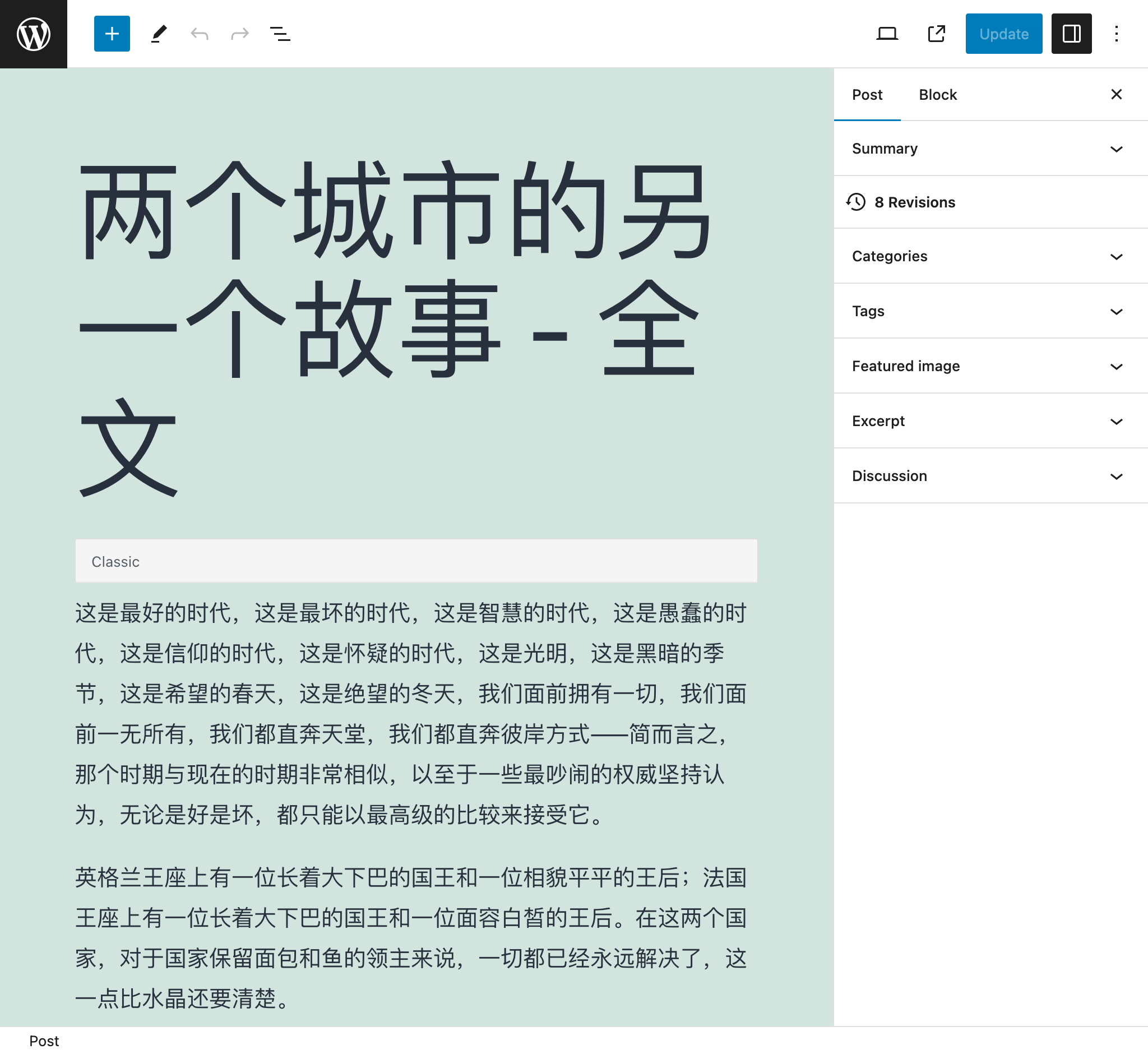
Ad esempio, dopo aver tradotto questo post dall'inglese al cinese:
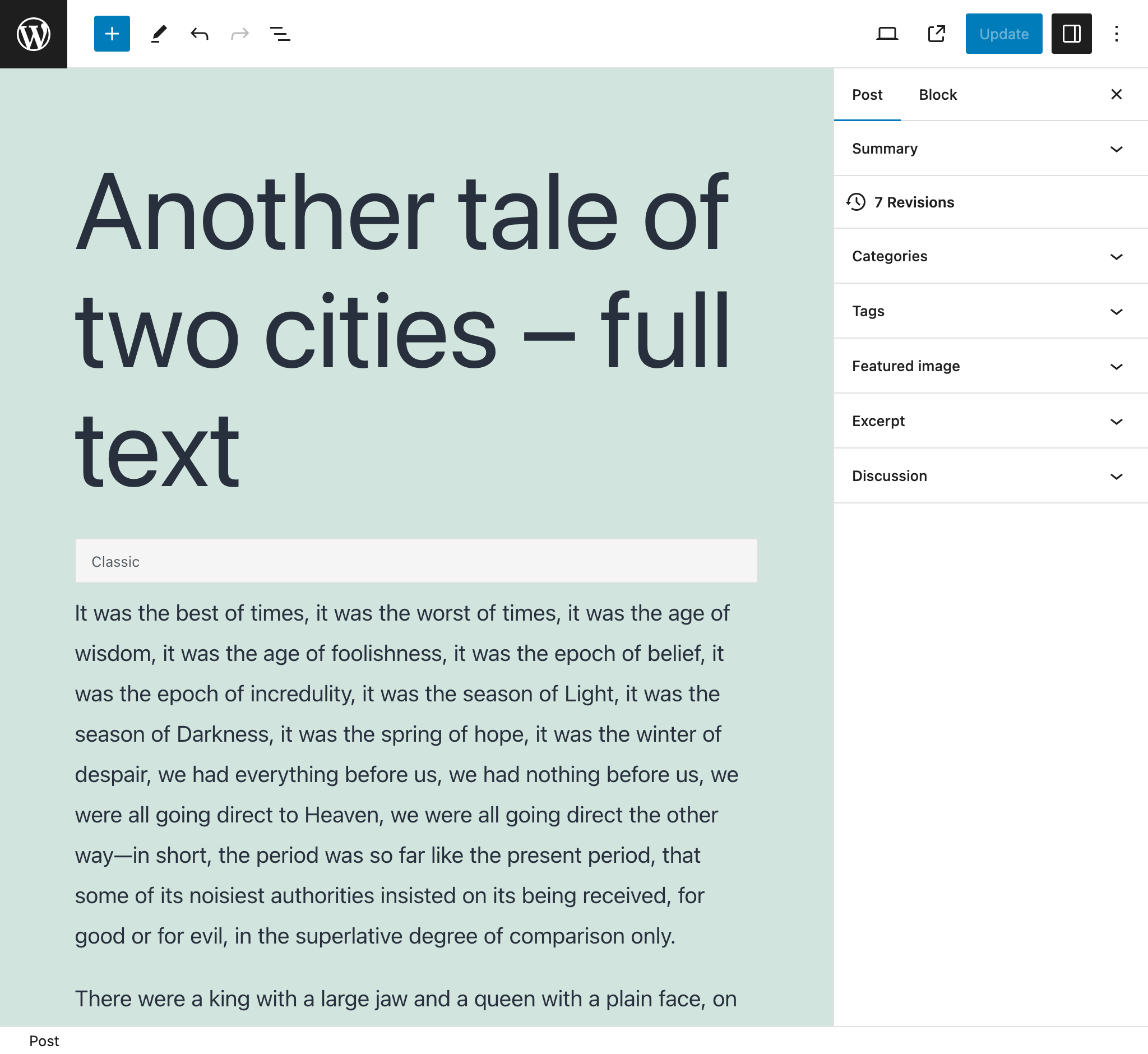
...è diventato questo:
Importare un post da un feed RSS di WordPress
Punta al feed RSS di WordPress di un post e crea un nuovo post con i suoi dati.
Ad esempio, la query analizzerà il seguente feed RSS per un singolo post (normalmente accessibile sotto https://mysite.com/post-slug/feed/rss/?withoutcomments=1):
<?xml version="1.0" encoding="UTF-8"?>
<rss version="2.0"
xmlns:content="http://purl.org/rss/1.0/modules/content/"
xmlns:wfw="http://wellformedweb.org/CommentAPI/"
xmlns:dc="http://purl.org/dc/elements/1.1/"
xmlns:atom="http://www.w3.org/2005/Atom"
xmlns:sy="http://purl.org/rss/1.0/modules/syndication/"
xmlns:slash="http://purl.org/rss/1.0/modules/slash/"
>
<channel>
<title>A tale of two cities – teaser – PoP API Demo</title>
<atom:link href="https://mysite.com/blogroll/a-tale-of-two-cities-teaser/feed/?withoutcomments=1" rel="self" type="application/rss+xml" />
<link>https://mysite.com</link>
<description>Just another WordPress site</description>
<lastBuildDate>Tue, 20 Jul 2021 23:03:59 +0000</lastBuildDate>
<language>en-US</language>
<sy:updatePeriod>hourly</sy:updatePeriod>
<sy:updateFrequency>1 </sy:updateFrequency>
<generator>https://wordpress.org/?v=6.1.1</generator>
<item>
<title>A tale of two cities – teaser</title>
<link>https://mysite.com/blogroll/a-tale-of-two-cities-teaser/</link>
<comments>https://mysite.com/blogroll/a-tale-of-two-cities-teaser/#comments</comments>
<dc:creator>leo</dc:creator>
<pubDate>Mon, 21 Dec 2020 08:24:18 +0000</pubDate>
<category>Blogroll</category>
<category>championship</category>
<category>book</category>
<guid isPermaLink="false">https://mysite.com/?p=1657</guid>
<description></description>
<content:encoded>
<p>It was the best of times, it was the worst of times, it was the age of wisdom, it was the age of foolishness, it was the epoch of belief, it was the epoch of incredulity, it was the season of Light, it was the season of Darkness, it was the spring of hope, it was the winter of despair, we had everything before us, we had nothing before us, we were all going direct to Heaven, we were all going direct the other way—in short, the period was so far like the present period, that some of its noisiest authorities insisted on its being received, for good or for evil, in the superlative degree of comparison only.</p>
</content:encoded>
<wfw:commentRss>https://mysite.com/blogroll/a-tale-of-two-cities-teaser/feed/</wfw:commentRss>
<slash:comments>45</slash:comments>
</item>
</channel>
</rss>Importare post da un CSV
Fornisci un CSV per creare post con i dati corrispondenti per ogni voce (il titolo, l'estratto, il contenuto e l'autore).
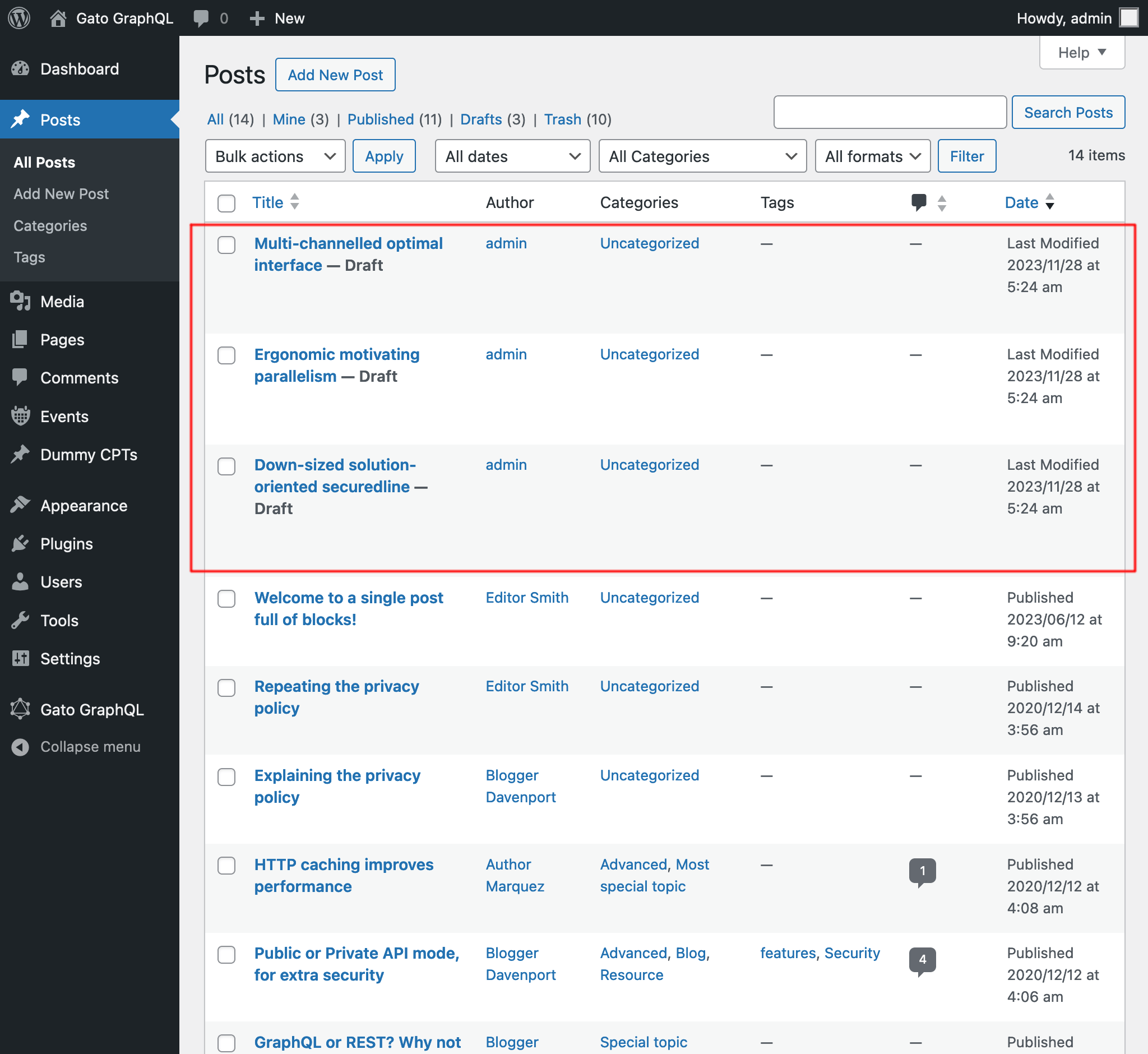
Ad esempio, il CSV qui sotto creerà 3 post:
Title,Excerpt,Content,Author
Multi-channelled optimal interface,Inventore iste velit et expedita ipsa dolor,"<!-- wp:paragraph -->
<p>Inventore iste velit et expedita ipsa dolor. Optio suscipit qui id harum corporis dignissimos.</p>
<!-- /wp:paragraph -->",admin
Ergonomic motivating parallelism,Consequuntur velit quasi assumenda,"<!-- wp:paragraph -->
<p>Consequuntur velit quasi assumenda. Eum non saepe est. Ut dolorem harum eveniet eaque nemo impedit. Voluptatem commodi modi sed sed animi voluptatem.</p>
<!-- /wp:paragraph -->
<!-- wp:image {""id"":5,""sizeSlug"":""large""} -->
<figure class=""wp-block-image size-large""><img src=""https://mysite.com/wp-content/uploads/2023/09/wordpress0.jpg"" alt="""" class=""wp-image-5""/></figure>
<!-- /wp:image -->
<!-- wp:image {""id"":7,""sizeSlug"":""large""} -->
<figure class=""wp-block-image size-large""><img src=""https://mysite.com/wp-content/uploads/2023/09/wordpress2.jpg"" alt="""" class=""wp-image-7""/></figure>
<!-- /wp:image -->",admin
Down-sized solution-oriented securedline,Ipsam minima qui asperiores dolorum unde voluptas quia voluptate,"<!-- wp:paragraph -->
<p>Ipsam minima qui asperiores dolorum unde voluptas quia voluptate. Incidunt omnis cumque beatae quo deleniti ex. Praesentium nihil et consectetur neque commodi tempora ipsa adipisci. Praesentium perferendis sint est.</p>
<!-- /wp:paragraph -->
<!-- wp:paragraph -->
<p>Et aut fuga aliquam consequuntur dolore sunt ut ut. Quibusdam in voluptas vitae quia eaque. Eligendi dolorum dolorem vitae et vitae et ut.</p>
<!-- /wp:paragraph -->",admin
Dopo l'esecuzione della query, otteniamo i risultati:
Recuperare i link dei post
Trova tutti i link in tutti i post (cercando tutte le stringhe <a href="(...)">(...)</a>), ed elencali nella risposta come un oggetto JSON, con le proprietà { href: (...), text: (...) }.
Ad esempio, può produrre questa risposta:
{
"data": {
"posts": [
{
"id": 1435,
"title": "Citations from famous authors",
"links": [
{
"href": "https://www.azquotes.com/author/4085-Fyodor_Dostoevsky",
"text": "Quote by Fyodor Dostoevsky"
},
{
"href": "https://www.azquotes.com/author/14706-Leo_Tolstoy",
"text": "Quote by Leon Tolstoi"
},
{
"href": "https://www.azquotes.com/author/15138-Voltaire",
"text": "Quote by Voltaire"
}
]
},
{
"id": 1,
"title": "Hello world!",
"links": []
}
]
}
}Aggiunto il tipo scalare XML
Ora possiamo inserire stringhe XML tramite il nuovo tipo scalare XML, che convaliderà la correttezza della stringa XML.
Ad esempio, questa query:
{
_strDecodeXMLAsJSON(xml: """<?xml version="1.0" encoding="UTF-8"?>
<body>
<message>Hello world!</message>
</body>
""")
}...produrrà:
{
"data": {
"_strDecodeXMLAsJSON": {
"message": "Hello world!"
}
}
}Mentre questa query:
{
_strDecodeXMLAsJSON(xml: """<?xml version="1.0" encoding="UTF-8"?>
<body>
<message>Hello world!</message>
""")
}...produrrà:
{
"errors": [
{
"message": "Cannot cast value '<?xml version=\"1.0\" encoding=\"UTF-8\"?>\n <body>\n <message>Hello world!<\/message>\n ' for type 'XML'",
"locations": [
{
"line": 2,
"column": 31
}
],
"extensions": {
"field": "_strDecodeXMLAsJSON(xml: \"<?xml version=\"1.0\" encoding=\"UTF-8\"?>\n <body>\n <message>Hello world!<\/message>\n \")",
"problems": [
"Premature end of data in tag body line 2\n"
]
}
}
],
"data": {
"_strDecodeXMLAsJSON": null
}
}Documentazione migliorata
- Aggiunta la documentazione per i nuovi campi dell'estensione Helper Function Collection:
_strDecodeXMLAsJSON_strParseCSV
Corretto
- Nelle persisted queries predefinite "Translate post" e "Translate posts", aggiunto
failIfNonExistingKeyOrPath: falsedurante la selezione della proprietàattributes.{something}di un blocco (poiché a volte potrebbe non essere definita) - Nella persisted query predefinita "Import post from WordPress site", aggiunto lo stato
anyper selezionare il post - Rinominata la persisted query "Translate post" in "Translate post (Gutenberg)", e "Translate posts" in "Translate posts (Gutenberg)"