

Email Sender
Invia email tramite la mutation globale _sendEmail.
Descrizione
La mutation _sendEmail invia email eseguendo la funzione wp_mail di WordPress. Di conseguenza, utilizzerà la configurazione definita per l'invio delle email in WordPress (come il provider SMTP da usare).
L'email può essere inviata con i tipi di contenuto "text" o "HTML", a seconda del valore dell'input messageAs (che è un InputObject "oneof", in modo che possa essere fornita solo una delle sue proprietà).
Per inviare come testo, fornisci la proprietà messageAs.text:
mutation {
_sendEmail(
input: {
to: "target@email.com"
subject: "Email with text content"
messageAs: {
text: "Hello world!"
}
}
) {
status
errors {
__typename
...on ErrorPayload {
message
}
}
}
}Per inviare come HTML, fornisci la proprietà messageAs.html:
mutation {
_sendEmail(
input: {
to: "target@email.com"
subject: "Email with HTML content"
messageAs: {
html: "<p>Hello world!</p>"
}
}
) {
status
errors {
__typename
...on ErrorPayload {
message
}
}
}
}Campo Globale
_sendEmail è un campo globale (o, più precisamente, una mutation globale). Questo significa che, se le Nested Mutations sono abilitate, questa mutation può essere eseguita su qualsiasi tipo dello schema GraphQL (cioè non solo in MutationRoot).
Questo è utile per iterare un elenco di utenti e inviare un'email a ciascuno di essi (in questo caso, la mutation viene attivata dal tipo User):
mutation {
users {
email
_sendEmail(
input: {
to: $__email
subject: "..."
messageAs: {
text: "..."
}
}
) {
status
errors {
__typename
...on ErrorPayload {
message
}
}
}
}Combinato con funzionalità di altre estensioni (in questo caso, Field to Input e PHP Functions via Schema), possiamo creare messaggi personalizzati per ogni utente:
mutation {
users {
email
displayName
remainingCredits: metaValue(key: "credits")
emailMessage: _sprintf(
string: """
<p>Hello %s!</p>
<p>Your have <strong>%s remaining credits</strong> in your account.</p>
<p><a href="%s">Buy more?</a></p>
""",
values: [
$__displayName,
$__remainingCredits,
"https://mysite.com/buy-credits"
]
)
_sendEmail(
input: {
to: $__email
subject: "Remaining credits"
messageAs: {
html: $__emailMessage
}
}
) {
status
errors {
__typename
...on ErrorPayload {
message
}
}
}
}
}Capacità richiesta
La mutation può essere limitata agli utenti che possiedono una specifica capacità di WordPress. Questa impostazione viene configurata nella pagina delle Impostazioni, sotto Plugin Configuration > Email Sender.
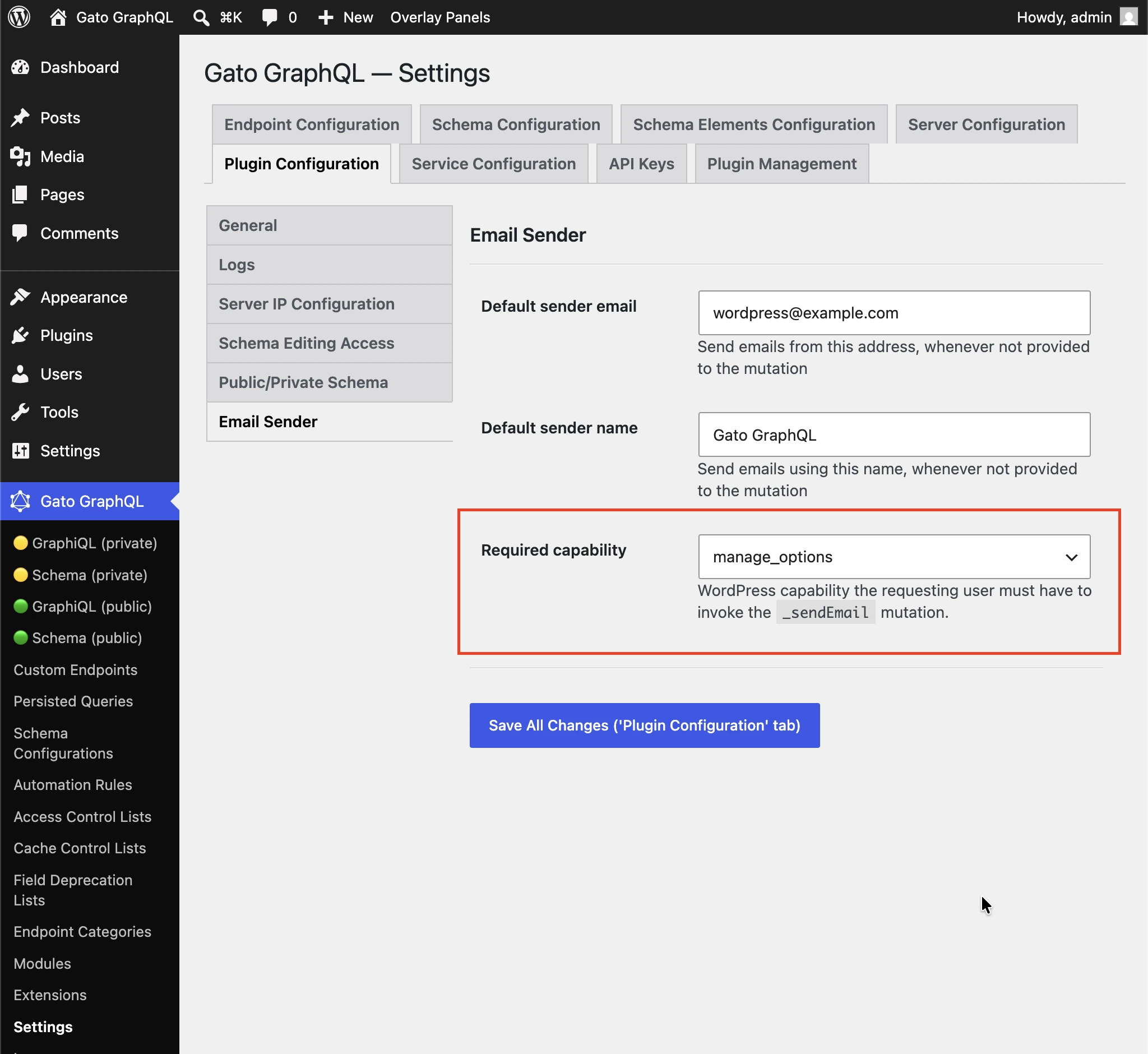
Il valore predefinito è manage_options in modo che gli iscritti non possano usare la mutation per inviare spam a destinatari arbitrari.
Seleziona (any logged-in user) per disabilitare la verifica della capacità.
Altri esempi
La query qui sotto invia un'email all'utente amministratore con il contenuto di un articolo (ad esempio: può essere attivata ogni volta che viene pubblicato un nuovo articolo). Utilizza le estensioni:
- Multiple Query Execution per organizzare la query in unità logiche
- Helper Function Collection per comporre il messaggio dell'email usando Markdown e convertirlo in HTML tramite
_strConvertMarkdownToHTML - PHP Functions via Schema per iniettare dinamicamente valori nell'oggetto e nel messaggio dell'email tramite i campi
_strReplaceMultiplee_sprintf - Field to Input per recuperare e fornire l'indirizzo email dell'amministratore da
wp_options
query GetPostData($postID: ID!) {
post(by: {id: $postID}) {
title @export(as: "postTitle")
excerpt @export(as: "postExcerpt")
url @export(as: "postLink")
author {
name @export(as: "postAuthorName")
url @export(as: "postAuthorLink")
}
}
}
query GetEmailData @depends(on: "GetPostData") {
emailMessageTemplate: _strConvertMarkdownToHTML(
text: """
There is a new post by [{$postAuthorName}]({$postAuthorLink}):
**{$postTitle}**: {$postExcerpt}
[Read online]({$postLink})
"""
)
emailMessage: _strReplaceMultiple(
search: ["{$postAuthorName}", "{$postAuthorLink}", "{$postTitle}", "{$postExcerpt}", "{$postLink}"],
replaceWith: [$postAuthorName, $postAuthorLink, $postTitle, $postExcerpt, $postLink],
in: $__emailMessageTemplate
)
@export(as: "emailMessage")
subject: _sprintf(string: "New post created by %s", values: [$postAuthorName])
@export(as: "emailSubject")
}
mutation SendEmail @depends(on: "GetEmailData") {
adminEmail: optionValue(name: "admin_email")
_sendEmail(
input: {
to: $__adminEmail
subject: $emailSubject
messageAs: {
html: $emailMessage
}
}
) {
status
}
}