

Gestire i payload delle mutation
I campi mutation possono essere configurati per restituire uno di questi 2 tipi di entità distinti:
- Un tipo di oggetto payload
- Direttamente l'entità modificata
Tipo di oggetto payload
Un tipo di oggetto payload contiene tutti i dati relativi alla mutation:
- Lo stato della mutation (successo o fallimento)
- Gli errori (se presenti) utilizzando tipi GraphQL distintivi, oppure
- L'entità modificata con successo
Ad esempio, la mutation updatePost restituisce un oggetto di tipo PostUpdateMutationPayload, e dobbiamo comunque interrogare il suo campo post per recuperare l'entità post aggiornata:
mutation UpdatePost {
updatePost(input: {
id: 1724,
title: "New title",
status: publish
}) {
# This is the status of the mutation: SUCCESS or FAILURE
status
errors {
__typename
...on ErrorPayload {
message
}
}
post {
id
title
# This is the status of the post: publish, pending, trash, etc
status
}
}
}L'oggetto payload ci consente di rappresentare meglio gli errori, disponendo persino di un tipo GraphQL unico per ogni tipo di errore. Questo ci permette di presentare reazioni diverse per errori diversi nell'applicazione, migliorando così l'esperienza utente.
Nell'esempio sopra, se l'operazione ha avuto successo, riceveremo:
{
"data": {
"updatePost": {
"status": "SUCCESS",
"errors": null,
"post": {
"id": 1724,
"title": "Some title",
"status": "publish"
}
}
}
}Se l'utente non è autenticato, riceveremo:
{
"data": {
"updatePost": {
"status": "FAILURE",
"errors": [
{
"__typename": "UserIsNotLoggedInErrorPayload",
"message": "You must be logged in to create or update custom posts"
}
],
"post": null
}
}
}Se l'utente non ha il permesso di modificare i post, riceveremo:
{
"data": {
"updatePost": {
"status": "FAILURE",
"errors": [
{
"__typename": "LoggedInUserHasNoEditingCustomPostCapabilityErrorPayload",
"message": "Your user doesn't have permission for editing custom posts."
}
],
"post": null
}
}
}In questa modalità, lo schema GraphQL conterrà numerosi tipi aggiuntivi MutationPayload, MutationErrorPayloadUnion ed ErrorPayload, quindi avrà una dimensione maggiore:
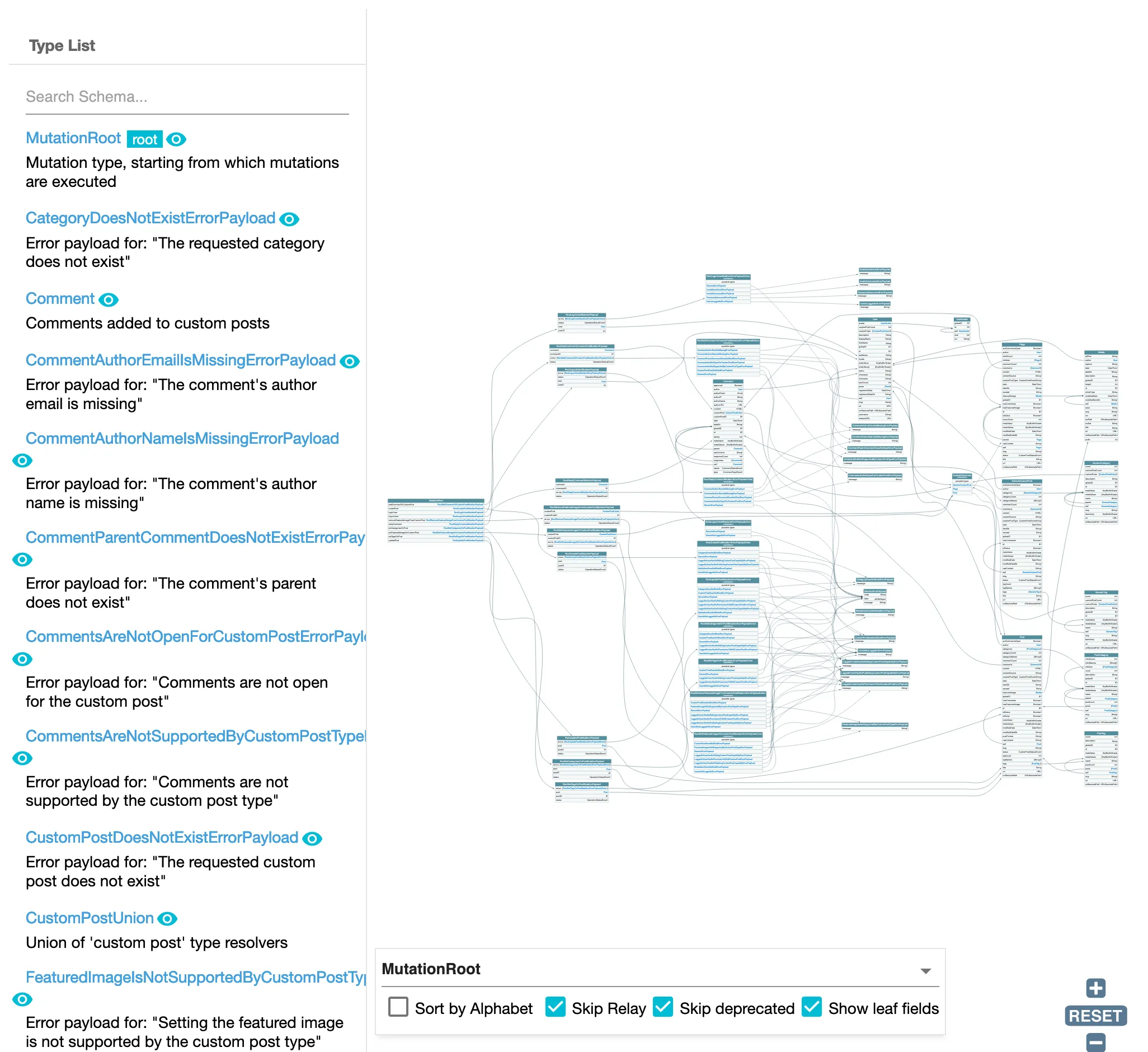
Interrogare gli oggetti payload delle mutation
Ogni mutation nello schema dispone di un campo corrispondente per interrogare i suoi oggetti payload creati di recente, con il nome {mutationName}MutationPayloadObjects.
Questi campi comprendono:
addCommentToCustomPostMutationPayloadObjects(peraddCommentToCustomPost)createCustomPostMutationPayloadObjects(percreateCustomPost)createMediaItemMutationPayloadObjects(percreateMediaItem)createPageMutationPayloadObjects(percreatePage)createPostMutationPayloadObjects(percreatePost)removeFeaturedImageFromCustomPostMutationPayloadObjects(perremoveFeaturedImageFromCustomPost)replyCommentMutationPayloadObjects(perreplyComment)setCategoriesOnPostMutationPayloadObjects(persetCategoriesOnPost)setFeaturedImageOnCustomPostMutationPayloadObjects(persetFeaturedImageOnCustomPost)setTagsOnPostMutationPayloadObjects(persetTagsOnPost)updateCustomPostMutationPayloadObjects(perupdateCustomPost)updatePageMutationPayloadObjects(perupdatePage)updatePostMutationPayloadObjects(perupdatePost)
Questi campi ci consentono di recuperare i risultati delle mutation eseguite con @applyField durante l'iterazione sugli elementi di un array.
Ad esempio, la seguente query duplica i post in blocco:
query GetPostsAndExportData
{
postsToDuplicate: posts {
title
rawContent
excerpt
# Already create (and export) the inputs for the mutation
postInput: _echo(value: {
title: $__title
contentAs: {
html: $__rawContent
},
excerpt: $__excerpt
})
@export(as: "postInput", type: LIST)
@remove
}
}
mutation CreatePosts
@depends(on: "GetPostsAndExportData")
{
createdPostMutationPayloadObjectIDs: _echo(value: $postInput)
@underEachArrayItem(
passValueOnwardsAs: "input"
)
@applyField(
name: "createPost"
arguments: {
input: $input
},
setResultInResponse: true
)
@export(as: "createdPostMutationPayloadObjectIDs")
}
query DuplicatePosts
@depends(on: "CreatePosts")
{
createdPostMutationObjectPayloads: createPostMutationPayloadObjects(input: {
ids: $createdPostMutationPayloadObjectIDs
}) {
status
errors {
__typename
...on ErrorPayload {
message
}
}
post {
id
title
rawContent
excerpt
}
}
}Per impostazione predefinita, questi campi non vengono aggiunti allo schema GraphQL. Per farlo, dobbiamo selezionare l'opzione "Use payload types for mutations, and add fields to query those payload objects".
Entità modificata
La mutation restituirà direttamente l'entità modificata in caso di successo, oppure null in caso di fallimento, e qualsiasi messaggio di errore verrà visualizzato nella voce di primo livello errors della risposta JSON.
Ad esempio, la mutation updatePost restituirà l'oggetto di tipo Post:
mutation UpdatePost {
updatePost(input: {
id: 1724,
title: "New title",
status: publish
}) {
id
title
status
}
}Se l'operazione ha avuto successo, riceveremo:
{
"data": {
"updatePost": {
"id": 1724,
"title": "Some title",
"status": "publish"
}
}
}In caso di errori, questi appariranno sotto la voce errors della risposta. Ad esempio, se l'utente non è autenticato, riceveremo:
{
"errors": [
{
"message": "You must be logged in to create or update custom posts'",
"locations": [
{
"line": 2,
"column": 3
}
]
}
],
"data": {
"updatePost": null
}
}Dobbiamo notare che, di conseguenza, la voce di primo livello errors conterrà non solo errori di sintassi, di validazione dello schema e di logica (es.: non passare il nome di un argomento di campo, richiedere un campo inesistente, o chiamare _sendHTTPRequest mentre la rete è offline, rispettivamente), ma anche errori di "validazione del contenuto" (es.: "non sei autorizzato a modificare questo post").
Poiché non viene aggiunto alcun tipo aggiuntivo, lo schema GraphQL apparirà più snello:
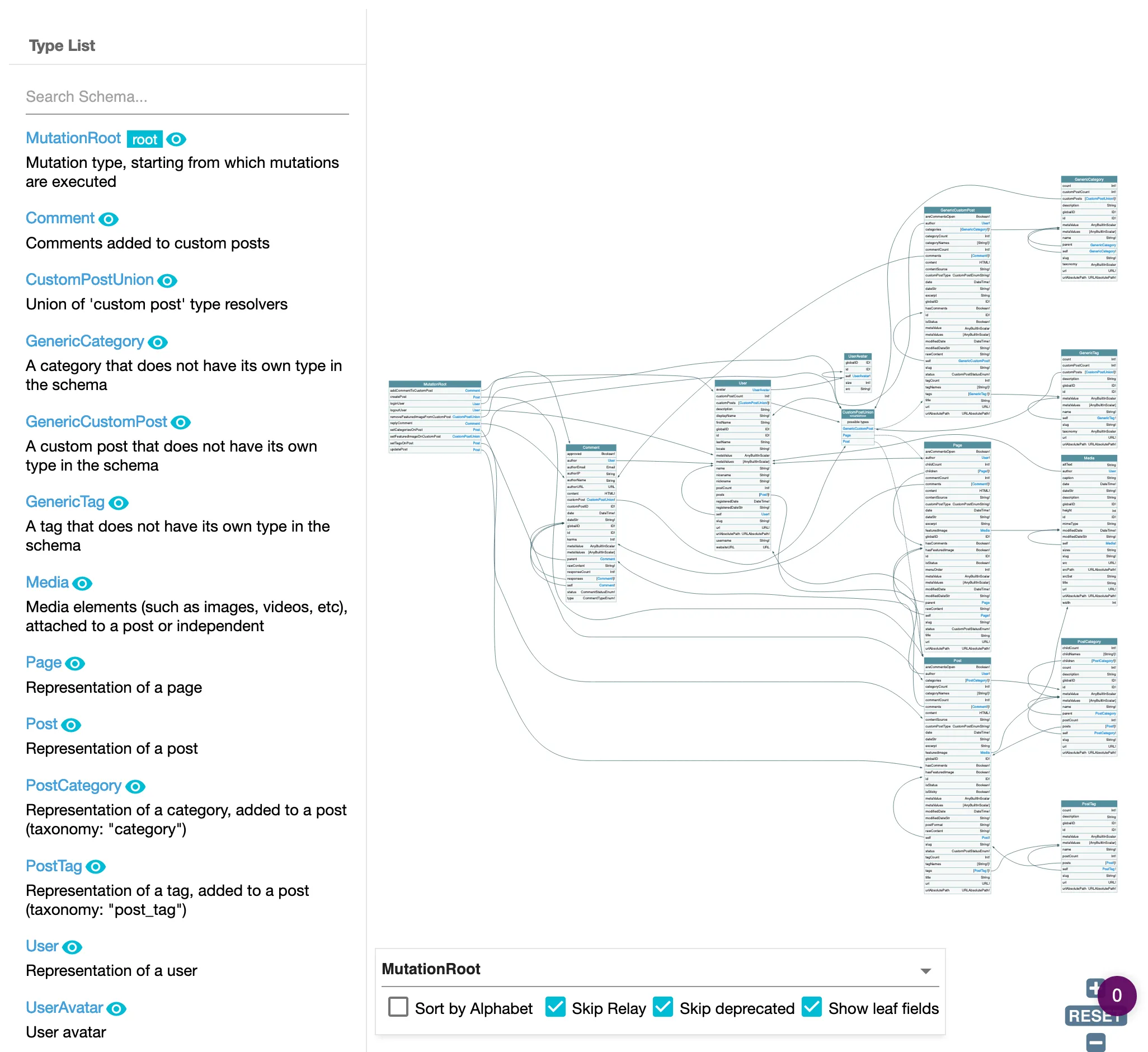
Gestire il tipo di oggetto payload per le mutation
Vediamo come gestire la prima opzione, il tipo di oggetto payload.
Le mutation nello schema restituiscono un oggetto payload, che fornisce qualsiasi errore risultante dalla mutation, oppure l'oggetto modificato in caso di successo (queste 2 proprietà sono molto probabilmente esclusive: o errors o object avrà un valore, e l'altra sarà null).
Gli errori vengono forniti tramite un tipo "ErrorPayloadUnion", contenente tutti i possibili errori per quella mutation. Ogni errore possibile è un tipo "ErrorPayload" che implementa l'interfaccia ErrorPayload.
Ad esempio, l'operazione updatePost restituisce un PostUpdateMutationPayload, che contiene i seguenti campi:
status: se l'operazione ha avuto successo o meno, con il valoreSUCCESSoFAILUREpostepostID: l'oggetto post aggiornato e il suo ID, se l'aggiornamento ha avuto successoerrors: un elenco diCustomPostUpdateMutationErrorPayloadUnion, se l'aggiornamento è fallito.
Il tipo union CustomPostUpdateMutationErrorPayloadUnion contiene l'elenco di tutti i possibili errori che possono verificarsi durante la modifica di un custom post:
CustomPostDoesNotExistErrorPayloadGenericErrorPayloadLoggedInUserHasNoEditingCustomPostCapabilityErrorPayloadLoggedInUserHasNoPermissionToEditCustomPostErrorPayloadLoggedInUserHasNoPublishingCustomPostCapabilityErrorPayloadUserIsNotLoggedInErrorPayload
Il tipo di errore GenericErrorPayload è contenuto da tutti i tipi "ErrorPayloadUnion". Viene utilizzato ogni volta che non è possibile individuare la ragione specifica dell'errore, come quando wp_update_post produce semplicemente WP_Error. Questo tipo fornisce due campi aggiuntivi: code e data.
Quindi, per eseguire la mutation updatePost, possiamo eseguire:
mutation UpdatePost(
$postId: ID!
$title: String!
) {
updatePost(
input: {
id: $postId,
title: $title,
}
) {
status
errors {
__typename
...on ErrorPayload {
message
}
...on GenericErrorPayload {
code
}
}
post {
id
title
}
}
}Se l'operazione ha avuto successo, riceveremo:
{
"data": {
"updatePost": {
"status": "SUCCESS",
"errors": null,
"post": {
"id": 1724,
"title": "This incredible title"
}
}
}
}Se l'utente non è autenticato, riceveremo:
{
"data": {
"updatePost": {
"status": "FAILURE",
"errors": [
{
"__typename": "UserIsNotLoggedInErrorPayload",
"message": "You must be logged in to create or update custom posts"
}
],
"post": null
}
}
}Se l'utente non ha il permesso di modificare i post, riceveremo:
{
"data": {
"updatePost": {
"status": "FAILURE",
"errors": [
{
"__typename": "LoggedInUserHasNoEditingCustomPostCapabilityErrorPayload",
"message": "Your user doesn't have permission for editing custom posts."
}
],
"post": null
}
}
}