

Advanced Custom Fields (ACF)
Utilizzando i campi meta, combinati con le funzionalità fornite dalle estensioni PRO, possiamo recuperare e modificare i campi personalizzati del plugin Advanced Custom Fields (ACF).
Ecco alcune queries che illustrano come recuperare e modificare campi personalizzati, per tutti i tipi di campo supportati da ACF:
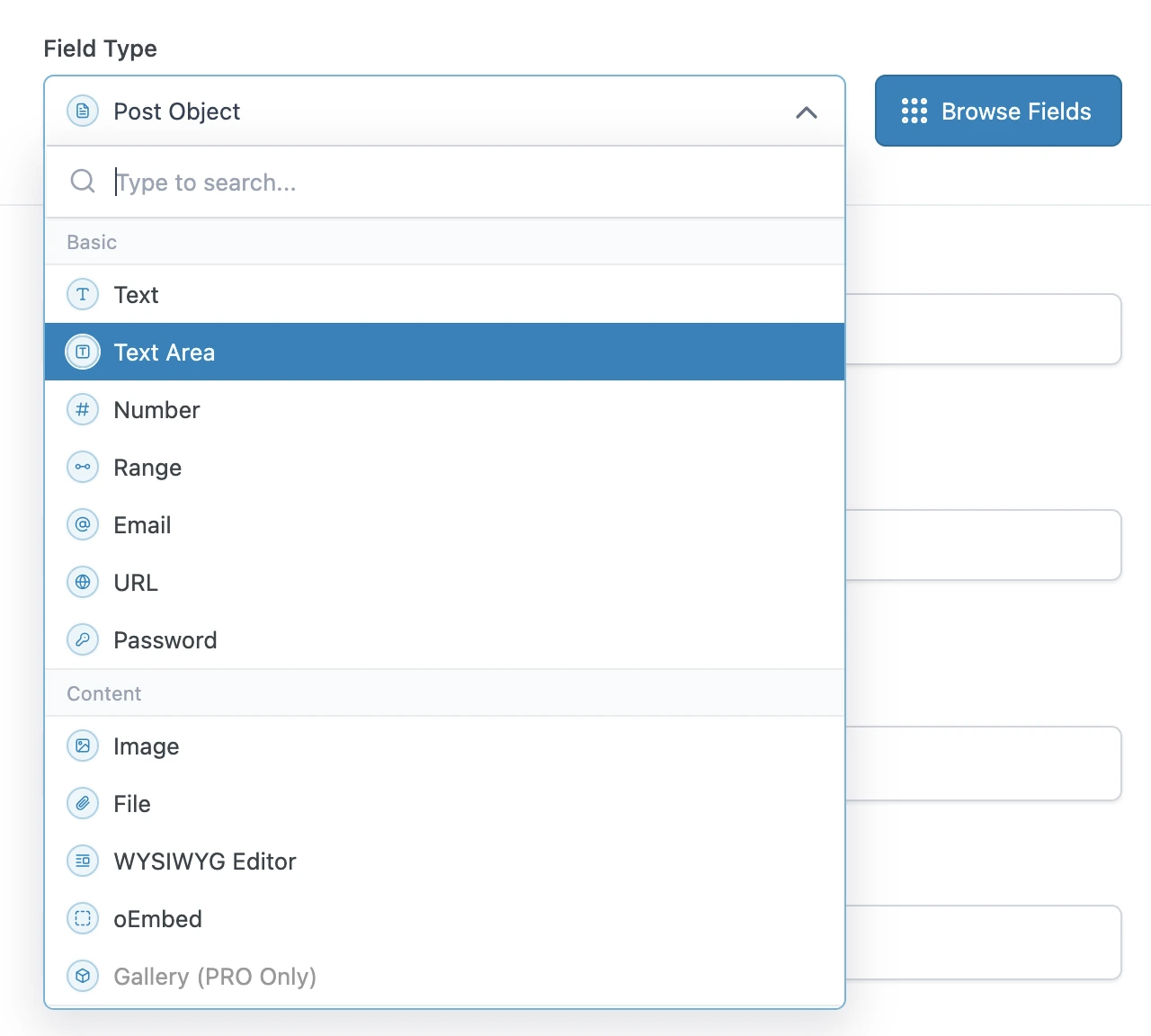
Interrogare i tipi di campo di base
I tipi di campo di base di ACF possono essere interrogati direttamente, utilizzando il campo metaValue:
query GetPost {
post(by: { id: 1 }) {
text: metaValue(key: "text_field")
textarea: metaValue(key: "textarea_field")
number: metaValue(key: "number_field")
range: metaValue(key: "range_field")
email: metaValue(key: "email_field")
url: metaValue(key: "url_field")
password: metaValue(key: "password_field")
}
}Interrogare i tipi di campo di contenuto
Se il campo personalizzato è una relazione (ad esempio: un'immagine o un file), possiamo esportare gli ID dai campi meta e interrogare immediatamente dopo quelle entità (di tipo Media) in una query successiva.
In caso contrario, si tratta di un tipo di campo semplice e possiamo interrogarlo direttamente utilizzando metaValue:
query GetPostDataAndExportRelationships {
post(by: { id: 1 }) {
# Image field type
imageId: metaValue(key: "image_field")
@export(as: "imageId")
# File field type
fileId: metaValue(key: "file_field")
@export(as: "fileId")
# WYSIWYG editor field type
wysiwyg_editor: metaValue(key: "wysiwyg_editor_field")
# Oembed field type
oembed: metaValue(key: "oembed_field")
}
}
query QueryPostRelationships
@depends(on: "GetPostDataAndExportRelationships")
{
# Query the image
relationshipImage: mediaItem(by: { id: $imageId }) {
id
src
}
# Query the file
relationshipFile: mediaItem(by: { id: $fileId }) {
id
src
}
}Interrogare i tipi di campo a scelta
I tipi di campo a scelta possono essere interrogati come un tipo di campo semplice, utilizzando metaValue.
ACF memorizza gli array di valori in una singola voce, codificata come stringa JSON; per questo motivo dobbiamo usare il campo metaValue (invece di metaValues) per recuperare l'array.
Per i valori booleani, utilizziamo il campo _equals per convertirlo da String a Boolean:
query GetPost {
post(by: { id: 1 }) {
# Select field type - Whether a single or multiple values, we always use `metaValue`
select: metaValue(key: "select_field")
multiSelect: metaValue(key: "multi_select_field")
# Checkbox field type
checkbox: metaValue(key: "checkbox_field")
# Radio button field type
radioButton: metaValue(key: "radio_button_field")
# Button group field type
buttonGroup: metaValue(key: "button_group_field")
# True/False field type
trueFalseAsString: metaValue(key: "true_false_field")
trueFalse: _equals(value1: $__trueFalseAsString, value2: "1")
}
}Interrogare i tipi di campo relazionali
Se il campo personalizzato è una relazione (ad esempio: un post, un utente, una tassonomia, ecc.), possiamo esportare gli ID dai campi meta e interrogare immediatamente dopo quelle entità (di tipo Post, User, Taxonomy, ecc.) in una query successiva.
In caso contrario, si tratta di un tipo di campo semplice e possiamo interrogarlo direttamente utilizzando metaValue:
query GetPostDataAndExportRelationships {
post(by: { id: 1 }) {
link: metaValue(key: "link_field")
# Post Object field type
post_object: metaValue(key: "post_object_field")
@export(as: "post_object_id")
# Multiple Post Object field type
post_objects: metaValue(key: "post_objects_field")
@export(as: "post_object_ids")
# Page Link field type
page_link: metaValue(key: "page_link_field")
@export(as: "page_link_id")
# Multiple Page Link field type
page_links: metaValue(key: "page_links_field")
@export(as: "page_link_ids")
# Relationship field type
relationships: metaValue(key: "relationship_field")
@export(as: "relationship_ids")
# Taxonomy field type
categoryTaxonomy: metaValue(key: "category_taxonomy_field")
@export(as: "category_taxonomy_ids")
tagTaxonomy: metaValue(key: "tag_taxonomy_field")
@export(as: "tag_taxonomy_ids")
# User field type
user: metaValue(key: "user_field")
@export(as: "user_id")
# Multiple User field type
users: metaValue(key: "users_field")
@export(as: "user_ids")
}
}
query QueryPostRelationships
@depends(on: "GetPostDataAndExportRelationships")
{
# Query the post
postObject: customPost(by: { id: $post_object_id }, status: any) {
id
title
}
# Query the list of posts
postObjects: customPosts(filter: { ids: $post_object_ids, status: any }, pagination: { limit: -1 }) {
id
title
}
# Query the page
pageLink: page(by: { id: $page_link_id }, status: any) {
id
title
}
# Query the list of pages
pageLinks: pages(filter: { ids: $page_link_ids, status: any }, pagination: { limit: -1 }) {
id
title
}
# Query the relationship post
relationships: customPosts(filter: { ids: $relationship_ids, status: any }, pagination: { limit: -1 }) {
id
title
}
# Query the list of categories
categoryTaxonomy: categories(filter: { ids: $category_taxonomy_ids }, taxonomy: "category") {
id
name
}
# Query the list of tags
tagTaxonomy: tags(filter: { ids: $tag_taxonomy_ids }, taxonomy: "post_tag") {
id
name
}
# Query the user
user: user(by: { id: $user_id }) {
id
name
}
# Query the list of users
users: users(filter: { ids: $user_ids }, pagination: { limit: -1 }) {
id
name
}
}Possiamo anche interrogare tutte le relazioni per più post, recuperando ciascuna di esse una sola volta (anche quando sono condivise tra i post):
query GetPostDataAndExportRelationships
@configureWarningsOnExportingDuplicateVariable(enabled: false)
{
# Multiple posts
posts {
# Post Object field type
post_object: metaValue(key: "post_object_field")
@export(
as: "post_object_id_list",
type: LIST
)
# Multiple Post Object field type
post_objects: metaValue(key: "post_objects_field")
@export(
as: "post_object_ids_list"
type: LIST
)
}
}
query TransformRelationships
@depends(on: "GetPostDataAndExportRelationships")
{
flattenedPostObjectIdsList: _arrayFlatten(array: $post_object_ids_list)
@arrayUnique
@export(as: "post_object_ids_list")
}
query QueryPostRelationships
@depends(on: "TransformRelationships")
{
# Query the post
postObjectList: customPosts(filter: { ids: $post_object_id_list, status: any }, pagination: { limit: -1 }) {
id
title
}
# Query the list of posts
postObjectsList: customPosts(filter: { ids: $post_object_ids_list, status: any }, pagination: { limit: -1 }) {
id
title
}
}Interrogare i tipi di campo data
Poiché una data viene memorizzata come stringa nel formato "YMD" (ad esempio: "20240320"), dobbiamo analizzarla in un timestamp e quindi iniettarla nella funzione _date.
query GetPost {
post(by: { id: 1 }) {
# Date Picker field
dateAsString: metaValue(key: "date_picker_field")
dateYear: _strSubstr(string: $__dateAsString, offset: 0, length: 4)
dateMonth: _strSubstr(string: $__dateAsString, offset: 4, length: 2)
dateDay: _strSubstr(string: $__dateAsString, offset: 6, length: 2)
dateAsTimestamp: _makeTime(year: $__dateYear, month: $__dateMonth, day: $__dateDay, hour: 0, minute: 0, second: 0)
date: _date(format: "Y-m-d", timestamp: $__dateAsTimestamp)
# Date Time Picker field
dateTime: metaValue(key: "date_time_picker_field")
# Time Picker field
timeAsString: metaValue(key: "time_picker_field")
timeHours: _strSubstr(string: $__timeAsString, offset: 0, length: 2)
timeMinutes: _strSubstr(string: $__timeAsString, offset: 3, length: 2)
timeSeconds: _strSubstr(string: $__timeAsString, offset: 6, length: 2)
googleMap: metaValue(key: "google_map_field")
colorPicker: metaValue(key: "color_picker_field")
}
}Modificare qualsiasi tipo di campo
Utilizziamo i campi meta anche per modificare i dati dei campi personalizzati ACF (aggiunta, aggiornamento ed eliminazione di voci).
Questa query aggiorna più campi personalizzati ACF passando un singolo oggetto JSON alla mutation updatePost.
Si noti che il JSON contiene array di valori, anche quando l'elemento è un valore singolo.
mutation UpdatePost($postId: ID!) {
updatePost(
input: {
id: $postId
meta: {
text_field: ["New text value"],
textarea_field: ["New textarea value"],
select_field: ["New select value"],
multi_select_field: ["Choice 1", "Choice 2"],
number_field: [42],
date_picker_field: ["20240320"],
}
}
) {
status
errors {
__typename
...on ErrorPayload {
message
}
}
post {
id
text: metaValue(key: "text_field")
textarea: metaValue(key: "textarea_field")
select: metaValue(key: "select_field")
multiSelect: metaValues(key: "multi_select_field")
number: metaValue(key: "number_field")
date: metaValue(key: "date_picker_field")
}
}
}Questa query aggiorna i campi personalizzati ACF in blocco, utilizzando la mutation updateCustomPostMeta:
mutation UpdatePost($postId: ID!) {
updateCustomPostMetas(inputs: [
{ id: $postId, key: "text_field", value: "New text value" },
{ id: $postId, key: "textarea_field", value: "New textarea value" },
{ id: $postId, key: "select_field", value: "New select value" },
{ id: $postId, key: "multi_select_field", value: ["Choice 1", "Choice 2"] },
{ id: $postId, key: "number_field", value: 42 },
{ id: $postId, key: "date_picker_field", value: "20240320" },
]) {
status
errors {
__typename
...on ErrorPayload {
message
}
}
customPost {
__typename
id
text: metaValue(key: "text_field")
textarea: metaValue(key: "textarea_field")
select: metaValue(key: "select_field")
multiSelect: metaValues(key: "multi_select_field")
number: metaValue(key: "number_field")
date: metaValue(key: "date_picker_field")
}
}
}